Docs Scanner & Smart Printer1.3.3
Publisher Description
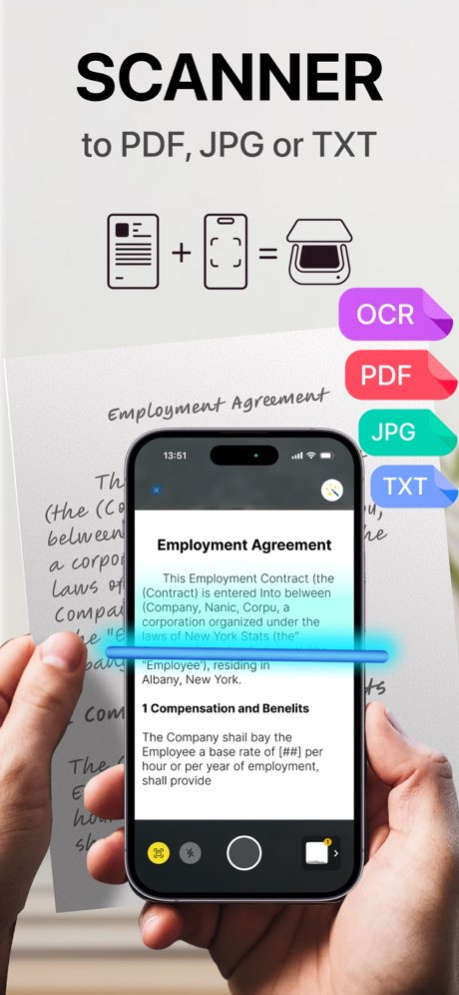


Transform your iPhone into a powerful mobile scanner and document printer. Scanner Pro turns any paper into crisp, professional digital files, ready to sign, convert, and share in seconds.
Core Features
. Smart Document Scanner: Capture flawless scans of receipts, contracts, whiteboards, and multi-page documents. Automatic edge detection and image enhancement ensure perfect results every time.
Create & Convert Flexibly
. To PDF: Merge multiple scans into a single, organized PDF file.
. To Images: Extract pages from any PDF as individual JPG or PNG pictures.
. To ZIP Archive: Compress several documents into a neat ZIP file for easy emailing and storage.
. Instant E-Signature: Sign contracts, forms, and approvals directly on your device. No more printing, wet signing, and rescanning.
. Print & Lightweight Edit: Send any scan or PDF directly to your AirPrint or network printer. Make quick adjustments: add text, highlight, annotate, crop, or redact sensitive info.
. Organize & Share Effortlessly: Keep everything tidy in customizable folders. Share via email, messages, or upload seamlessly to iCloud Drive, Google Drive, Dropbox, and more.
Your All-in-One Document Workflow:
1. Photo any docs with your camera.
2. Convert to PDF/ZIP/JPG, add your signature, or make quick edits.
3. Save to folders, share with a link, upload to cloud, or print directly.
Privacy & Security First:
Your documents belong to you. All processing is done on-device. Files are stored locally on your iPhone by default, and we do not have access to your data.
Perfect for: business professionals, students, freelancers, home offices, travel, archiving receipts, and anyone looking to go paperless.
Download Scanner now and handle documents the smart way!
*All scanned documents are stored locally on your device, NOT accessible to third parties.
-----------------------
Privacy Policy: https://sites.google.com/view/scannerpdf/privacy-policy
Terms of Use: https://sites.google.com/view/scannerpdf/terms-of-use
We are constantly working on improving the application.
If you have any questions, suggestions, write to us by email ourappshelp@gmail.com
Version History Improved document scanning and text recognition. We also enhanced app stability, sped up PDF processing, and fixed minor bugs. 1.3.3 Aug 7 Added annotations to documents.
Bug fixes and improvements 1.3.2 Jul 7 Added annotations to documents.
Bug fixes and improvements 1.3.1 Jun 4 Added annotations to documents.
Bug fixes and improvements 1.3 Feb 17 Fixed document export 1.2.7 Jan 16 Fixed document export 1.2.6 11/21/2025 Fixed document export 1.2.5 11/13/2025 Improvements and bug fixes 1.2.4 10/31/2025 Improvements and bug fixes 1.2.3 08/09/2024 Improvements and bug fixes 1.2.2 06/28/2024 Improvements and bug fixes 1.2.1 06/19/2024 New features
Improvements and bug fixes 1.2 06/11/2024 Improvements and bug fixes 1.1.2 05/31/2024 Improvements and bug fixes 1.1.1 02/16/2024 Bug fix 1.1 02/13/2024 Bug fix 1.0.1 10/18/2023 1.0 10/11/2023
About Docs Scanner & Smart Printer
The company that develops Docs Scanner & Smart Printer is Uladzislau Nasonau. The latest version released by its developer is 1.3.3.
To install Docs Scanner & Smart Printer on your iOS device, just click the green Continue To App button above to start the installation process. The app is listed on our website since 2026-10-14 and was downloaded 0 times. We have already checked if the download link is safe, however for your own protection we recommend that you scan the downloaded app with your antivirus. Your antivirus may detect the Docs Scanner & Smart Printer as malware if the download link is broken.
How to install Docs Scanner & Smart Printer on your iOS device:
- Click on the Continue To App button on our website. This will redirect you to the App Store.
- Once the Docs Scanner & Smart Printer is shown in the iTunes listing of your iOS device, you can start its download and installation. Tap on the GET button to the right of the app to start downloading it.
- If you are not logged-in the iOS appstore app, you'll be prompted for your your Apple ID and/or password.
- After Docs Scanner & Smart Printer is downloaded, you'll see an INSTALL button to the right. Tap on it to start the actual installation of the iOS app.
- Once installation is finished you can tap on the OPEN button to start it. Its icon will also be added to your device home screen.
Program Details
System requirements
Download information
Pricing
Version History
version 1.3.3
posted on 2026-10-14
Version History Improved document scanning and text recognition. We also enhanced app stability, sped up PDF processing, and fixed minor bugs. 1.3.3 Aug 7 Added annotations to documents.
Bug fixes and improvements 1.3.2 Jul 7 Added annotations to documents.
Bug fixes and improvements 1.3.1 Jun 4 Added annotations to documents.
Bug fixes and improvements 1.3 Feb 17 Fixed document export 1.2.7 Jan 16 Fixed document export 1.2.6 11/21/2025 Fixed document export 1.2.5 11/13/2025 Improvements and bug fixes 1.2.4 10/31/2025 Improvements and bug fixes 1.2.3 08/09/2024 Improvements and bug fixes 1.2.2 06/28/2024 Improvements and bug fixes 1.2.1 06/19/2024 New features
Improvements and bug fixes 1.2 06/11/2024 Improvements and bug fixes 1.1.2 05/31/2024 Improvements and bug fixes 1.1.1 02/16/2024 Bug fix 1.1 02/13/2024 Bug fix 1.0.1 10/18/2023 1.0 10/11/2023
version 1.3.2
posted on 2026-08-06
Version History Added annotations to documents.
Bug fixes and improvements 1.3.2 Jul 7 Added annotations to documents.
Bug fixes and improvements 1.3.1 Jun 4 Added annotations to documents.
Bug fixes and improvements 1.3 Feb 17 Fixed document export 1.2.7 Jan 16 Fixed document export 1.2.6 11/21/2025 Fixed document export 1.2.5 11/13/2025 Improvements and bug fixes 1.2.4 10/31/2025 Improvements and bug fixes 1.2.3 08/09/2024 Improvements and bug fixes 1.2.2 06/28/2024 Improvements and bug fixes 1.2.1 06/19/2024 New features
Improvements and bug fixes 1.2 06/11/2024 Improvements and bug fixes 1.1.2 05/31/2024 Improvements and bug fixes 1.1.1 02/16/2024 Bug fix 1.1 02/13/2024 Bug fix 1.0.1 10/18/2023 1.0 10/11/2023
version 1.3.1
posted on 2026-07-01
Version History Added annotations to documents.
Bug fixes and improvements 1.3.1 Jun 4 Added annotations to documents.
Bug fixes and improvements 1.3 Feb 17 Fixed document export 1.2.7 Jan 16 Fixed document export 1.2.6 11/21/2025 Fixed document export 1.2.5 11/13/2025 Improvements and bug fixes 1.2.4 10/31/2025 Improvements and bug fixes 1.2.3 08/09/2024 Improvements and bug fixes 1.2.2 06/28/2024 Improvements and bug fixes 1.2.1 06/19/2024 New features
Improvements and bug fixes 1.2 06/11/2024 Improvements and bug fixes 1.1.2 05/31/2024 Improvements and bug fixes 1.1.1 02/16/2024 Bug fix 1.1 02/13/2024 Bug fix 1.0.1 10/18/2023 1.0 10/11/2023
version 1.3.1
posted on 2026-06-11
Version History Added annotations to documents.
Bug fixes and improvements 1.3.1 6d ago Added annotations to documents.
Bug fixes and improvements 1.3 Feb 17 Fixed document export 1.2.7 Jan 16 Fixed document export 1.2.6 11/21/2025 Fixed document export 1.2.5 11/13/2025 Improvements and bug fixes 1.2.4 10/31/2025 Improvements and bug fixes 1.2.3 08/09/2024 Improvements and bug fixes 1.2.2 06/28/2024 Improvements and bug fixes 1.2.1 06/19/2024 New features
Improvements and bug fixes 1.2 06/11/2024 Improvements and bug fixes 1.1.2 05/31/2024 Improvements and bug fixes 1.1.1 02/16/2024 Bug fix 1.1 02/13/2024 Bug fix 1.0.1 10/18/2023 1.0 10/11/2023
version 1.3
posted on 2026-05-09
Version History Added annotations to documents.
Bug fixes and improvements 1.3 Feb 17 Fixed document export 1.2.7 Jan 16 Fixed document export 1.2.6 11/21/2025 Fixed document export 1.2.5 11/13/2025 Improvements and bug fixes 1.2.4 10/31/2025 Improvements and bug fixes 1.2.3 08/09/2024 Improvements and bug fixes 1.2.2 06/28/2024 Improvements and bug fixes 1.2.1 06/19/2024 New features
Improvements and bug fixes 1.2 06/11/2024 Improvements and bug fixes 1.1.2 05/31/2024 Improvements and bug fixes 1.1.1 02/16/2024 Bug fix 1.1 02/13/2024 Bug fix 1.0.1 10/18/2023 1.0 10/11/2023
version 1.3
posted on 2026-02-17
Added annotations to documents.
Bug fixes and improvements
version 1.2.7
posted on 2026-01-16
Fixed document export
